Mac users searching for a proper IPTV player for Mac face a small but confusing pool of options. The macOS App Store does not carry the flagship IPTV apps that dominate Android TV and Firestick (TiviMate, Perfect Player, Smarters Pro all lack native Mac builds), so most guides default to recommending VLC or generic media players. This creates a knowledge gap: which apps actually deliver a full IPTV experience on M1, M2, M3, and M4 Macs, and which are just video players that happen to open M3U links?
This 2026 ranking covers eight IPTV players tested on macOS Sequoia (M2 MacBook Pro), macOS Sonoma (M1 Mac mini), and macOS Ventura (Intel iMac). Each entry lists price, playlist format support (M3U, Xtream Codes, Stalker Portal), EPG availability, Apple Silicon status, and best-fit use case.
What Makes a Great IPTV Player for Mac?
A dedicated IPTV player for Mac is separated from a general media player by four criteria. Missing any one of them turns a beautiful app into a workaround.
EPG (Electronic Program Guide) support — the TV-grid interface showing what’s on now and next across every channel. IPTV without EPG is a list of URLs; IPTV with EPG is television. Every real IPTV player parses XMLTV format; every generic media player skips this feature entirely.
Xtream Codes API support — the authenticated three-field login (server URL, username, password) used by approximately 70% of IPTV providers. An IPTV player for Mac that only accepts M3U forces users onto rotating URLs that break every 24–48 hours.
Native Apple Silicon (arm64) compilation — apps compiled specifically for M1/M2/M3/M4 chips run cooler, use less battery, and load large playlists faster. Rosetta 2 translation adds measurable overhead, especially on playlists exceeding 5,000 channels.
Multi-format playlist handling — support for M3U, M3U8, Xtream Codes, and ideally Stalker Portal in the same app. Provider portability depends on this.
Bonus criteria that separate the top tier: cloud sync across devices, external subtitle support, picture-in-picture on macOS, and hardware-accelerated 4K HDR decoding (HEVC + Dolby Vision) on Apple Silicon.
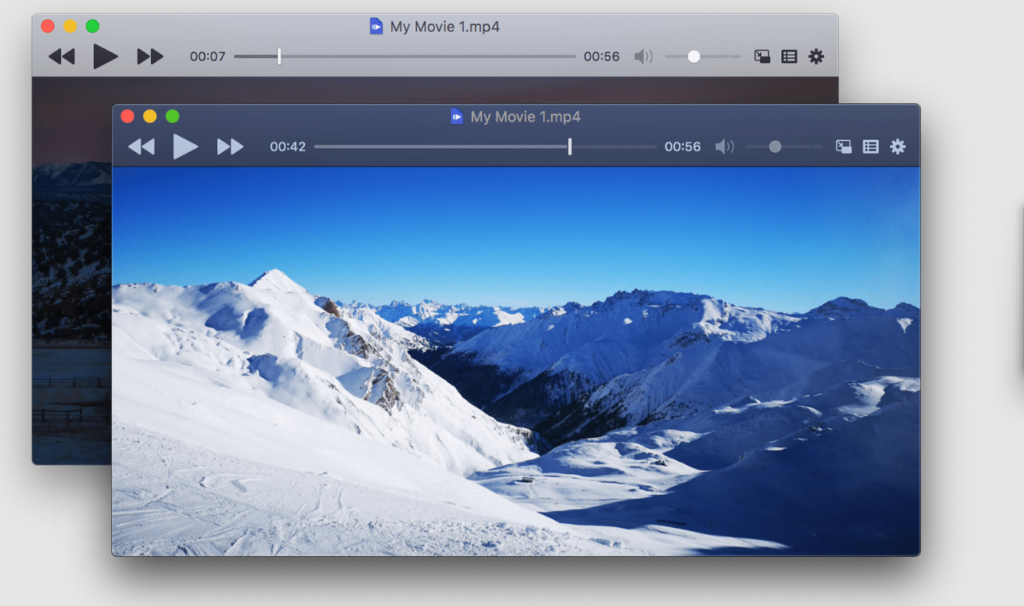
1. IINA — Best Free Native macOS Media Player for IPTV Streams
Quick facts
- Price: Free (open-source, MIT License)
- Available via: iina.io direct download, Homebrew (
brew install --cask iina) - Apple Silicon: Yes, native arm64 build
- macOS version: Requires macOS 10.15 Catalina or later
- Playlist support: M3U, M3U8 (via Open URL)
- EPG support: No
- Xtream Codes: No
- 4K HDR: Yes, hardware-accelerated
- Dolby Vision: Yes, on compatible displays
Key features
- Native SwiftUI interface designed specifically for macOS
- Touch Bar controls on compatible MacBook Pro models
- Picture-in-Picture support with macOS system integration
- MPV playback engine (industry-standard decoder)
- Chapter markers, subtitle support, and video filter chain
- Force Touch, gesture navigation, and Dock badge
Best for: Mac users who want a beautiful native player for occasional M3U streams and do not need EPG or Xtream Codes.
IINA delivers the cleanest visual experience of any IPTV player for Mac on this list. IINA loads an M3U URL through File → Open URL, plays every stream the MPV engine supports, and integrates deeply with macOS system features (Notification Center, Media Keys, AirPlay). IINA does not provide a channel grid, EPG, favorites, or Xtream Codes support — the app is a media player, not an IPTV platform. For users whose IPTV provider only supplies an M3U link and who prefer flipping through channels via the built-in playlist panel, IINA is the strongest free option.
2. VLC Media Player — Universal Fallback with Widest Format Support

Quick facts
- Price: Free (open-source, GPL)
- Available via: videolan.org, Homebrew (
brew install --cask vlc), Mac App Store - Apple Silicon: Yes, native arm64 (VLC 3.0.16 and later)
- macOS version: Requires macOS 10.11 El Capitan or later
- Playlist support: M3U, M3U8, XSPF, PLS
- EPG support: No
- Xtream Codes: No
- 4K HDR: Yes
- Dolby Vision: Limited
Key features
- Plays virtually every video and audio codec without additional plugins
- Network stream support with authentication headers and user-agent override
- Streaming server mode for redistributing streams on the local network
- Command-line control via
vlcbinary for scripting - Extensions and Lua scripting for advanced users
Best for: Users troubleshooting stream URLs, testing new IPTV providers, or streaming occasional M3U playlists without needing a channel guide.
VLC remains the most downloaded media player on any platform and functions as a reliable IPTV player for Mac in a narrow sense — VLC opens M3U URLs and plays streams reliably. VLC does not include EPG, channel grouping, favorites, Xtream Codes authentication, or watch history. For diagnosing a broken stream URL or checking whether a provider’s playlist parses correctly, VLC is often the first tool Mac users reach for. For a daily IPTV setup with a proper channel list, VLC falls short of dedicated players.
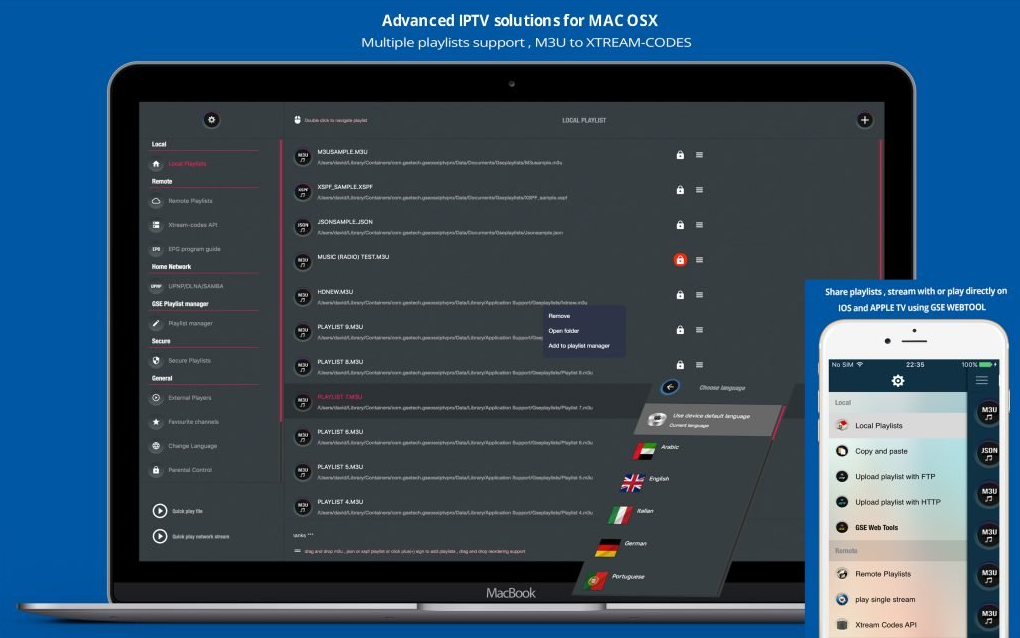
3. GSE Smart IPTV Pro — Full-Featured IPTV Player Running on Mac
Quick facts
- Price: Free version with ads; Pro approximately $19.99 one-time
- Available via: Mac App Store (iOS/iPadOS app running on Apple Silicon Macs)
- Apple Silicon: Yes (as iPad app on Mac)
- macOS version: Requires macOS 11 Big Sur or later on M1/M2/M3/M4 Mac
- Playlist support: M3U, M3U8, JSON, W3U, ZIP, RAR
- EPG support: Yes, XMLTV
- Xtream Codes: Yes
- Stalker Portal: Yes
- 4K HDR: Yes
Key features
- Full XMLTV EPG grid with search and reminders
- Cast to Chromecast, AirPlay, DLNA, and Smart TVs
- Parental controls with per-channel PIN
- Cloud playlist manager with backup
- Multiple simultaneous playlists
Best for: Mac users on Apple Silicon who want a comprehensive IPTV feature set (EPG, Xtream Codes, Stalker) without waiting for a native macOS build.
GSE Smart IPTV Pro runs on Apple Silicon Macs through the App Store’s iPad app compatibility. GSE Smart IPTV Pro delivers a full IPTV feature stack — EPG, Xtream Codes, Stalker Portal, and multi-playlist management — that no free native Mac app matches. The trade-off is interface: the iPad UI does not adapt perfectly to a mouse and large desktop display, and window resizing behaves differently from native Mac apps. For Intel Mac users, GSE Smart IPTV is unavailable through this route.
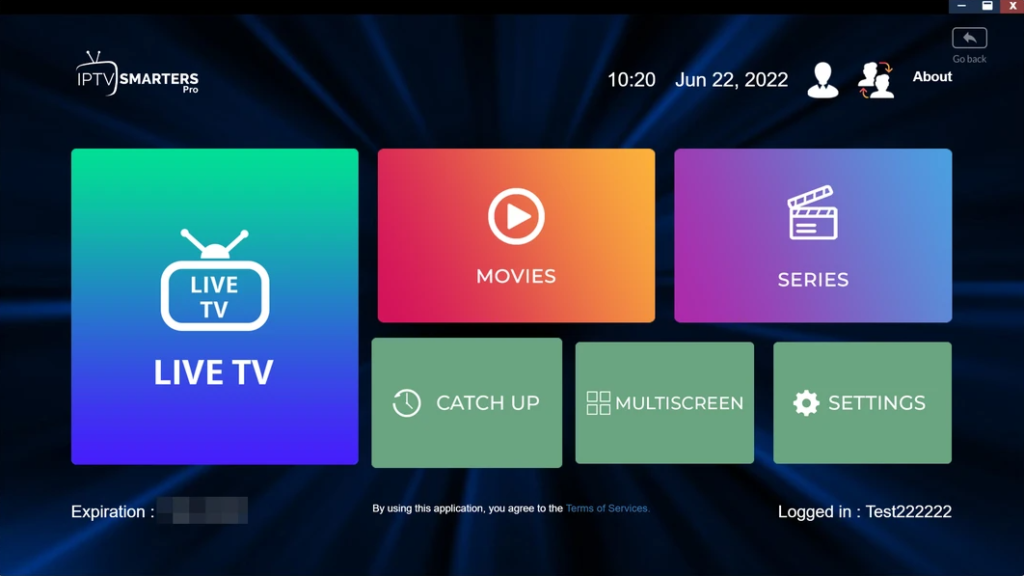
4. IPTV Smarters Pro — Familiar Interface for Existing Smarters Users
Quick facts
- Price: Free
- Available via: Mac App Store (iOS app on Apple Silicon)
- Apple Silicon: Yes (as iPhone/iPad app)
- macOS version: Requires macOS 11 Big Sur or later on M-series Mac
- Playlist support: M3U, M3U8, Xtream Codes
- EPG support: Yes
- Xtream Codes: Yes
- Stalker Portal: No
- 4K HDR: Yes
Key features
- Reseller-branded versions available (many IPTV providers ship custom Smarters builds)
- Multi-user profile support
- External player launch (VLC, MPV, MX Player)
- Catch-up TV support where the provider offers it
- Parental lock and content restrictions
Best for: Mac users whose IPTV provider distributes a branded Smarters-based app and who want interface consistency with iPhone or Android setups.
IPTV Smarters Pro is one of the most widely distributed IPTV apps globally, and its Apple Silicon Mac availability comes through iPad compatibility. IPTV Smarters Pro handles Xtream Codes and M3U reliably, includes EPG, and integrates with catch-up TV features. The interface is designed for touch and does not resize gracefully on Mac displays. For users already running Smarters on a phone or tablet, the app provides a familiar experience across devices.
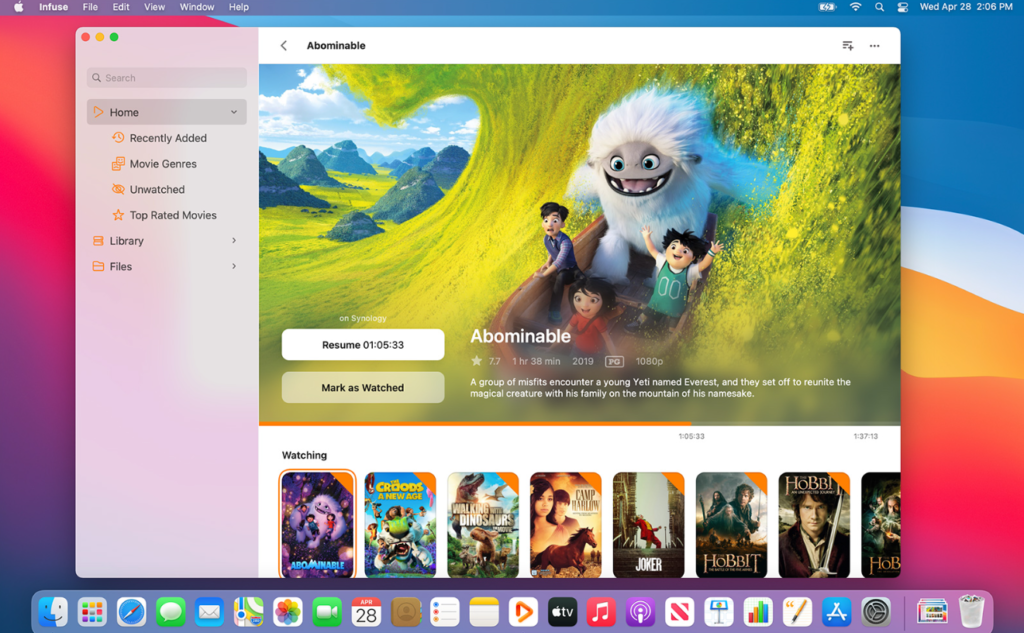
5. Infuse 7 — Best for VOD Libraries with Limited Live IPTV
Quick facts
- Price: Free base version; Pro $14.99/year or $79.99 lifetime
- Available via: Mac App Store
- Apple Silicon: Yes, native universal binary
- macOS version: Requires macOS 12 Monterey or later
- Playlist support: M3U (limited live TV support), local media, SMB, NFS, WebDAV
- EPG support: Basic
- Xtream Codes: No
- 4K HDR: Yes, hardware-accelerated
- Dolby Vision: Yes
Key features
- TMDb metadata integration with posters, cast, and descriptions
- Trakt scrobbling for watch history
- Cross-device sync across Mac, iPhone, iPad, and Apple TV
- Direct playback from NAS shares and cloud storage
- Subtitle language auto-detection and OpenSubtitles integration
Best for: Users whose primary need is VOD (movies and series) rather than live TV, especially those with a local media library or NAS.
Infuse 7 is Apple’s showcase third-party video player and one of the most polished apps on macOS. Infuse 7 handles M3U live TV in a limited capacity but positions live streaming as a secondary feature. For subscribers whose provider delivers M3U Plus with VOD categories, Infuse 7 displays movies and series with proper metadata and posters that no other IPTV player for Mac matches. Live channel viewing lacks the depth of GSE Smart IPTV Pro or dedicated IPTV apps.
6. iMPlayer — Native macOS IPTV Player with Xtream Codes
Quick facts
- Price: Free trial (7 days); Premium approximately $2.99/month or $19.99/year
- Available via: implayer.tv direct download, also available on tvOS and Windows
- Apple Silicon: Yes, native macOS build
- macOS version: Requires macOS 11 Big Sur or later
- Playlist support: M3U, M3U8, Xtream Codes
- EPG support: Yes, XMLTV with catch-up TV
- Xtream Codes: Yes
- Stalker Portal: No
- 4K HDR: Yes
Key features
- Native macOS window management and menu bar integration
- Cross-device sync between Mac, Apple TV, and Windows via cloud account
- Catch-up TV and recording support where the provider enables it
- Multi-playlist management with per-playlist EPG
- Custom channel groups and favorites
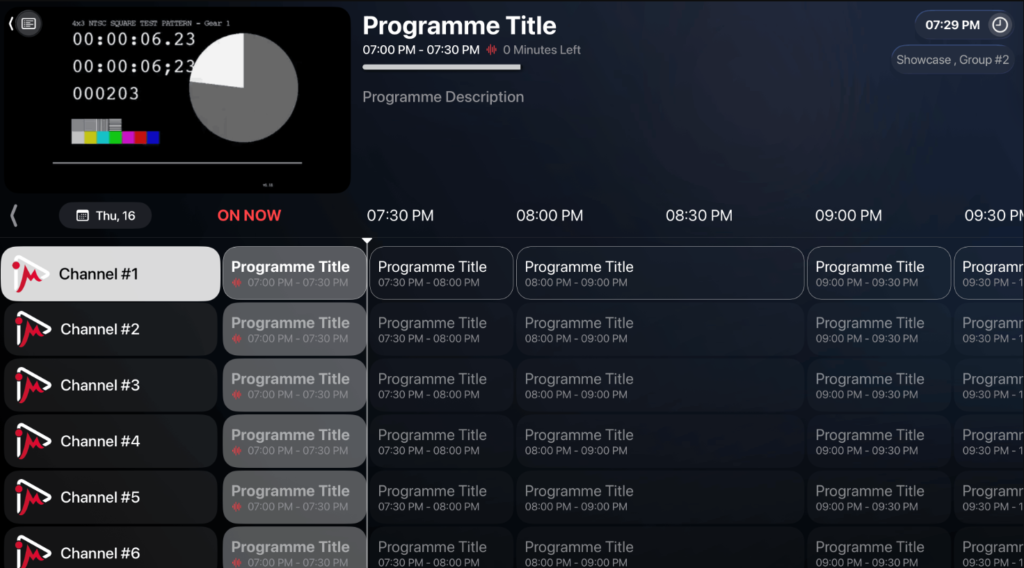
Best for: Mac users who want a natively built desktop IPTV app with Xtream Codes and EPG, and who value tvOS-Mac account sync.
iMPlayer is one of the few options on this list built specifically for macOS rather than ported from iOS. iMPlayer delivers full Xtream Codes support, EPG grid, and catch-up TV in an interface that respects Mac conventions. The subscription model is affordable and includes free trial access. iMPlayer does not support Stalker Portal, which limits its use for MAG-box style providers.
7. TiviMate on Mac (via Android Emulation) — Advanced Setup
Quick facts
- Price: TiviMate Premium approximately $19.99/year; emulator free (BlueStacks) or paid (Parallels)
- Available via: Not directly — requires Android emulator like BlueStacks Air (free, Apple Silicon native) or Parallels Desktop
- Apple Silicon: Partial — BlueStacks Air runs natively on Apple Silicon
- macOS version: BlueStacks Air requires macOS 11+ on Apple Silicon Macs
- Playlist support: M3U, M3U8, Xtream Codes
- EPG support: Yes, best-in-class
- Xtream Codes: Yes
- 4K HDR: Emulator-dependent
Key features
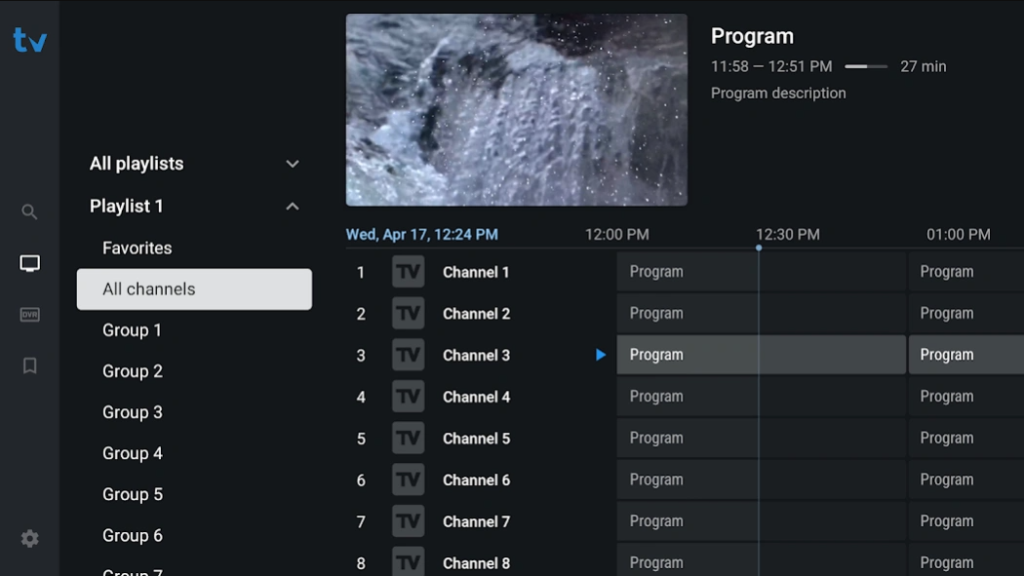
- The most polished IPTV player interface on any platform
- Advanced EPG with reminders, scheduled recording, and catch-up
- Highly customizable channel groups and sorting
- Multi-playlist with unified or separate views
- Chromecast and DLNA output
Best for: Power users who want TiviMate’s specific feature set on Mac and are willing to run Android emulation.
TiviMate is widely considered the best IPTV player on Android TV and Fire TV, but there is no native Mac build. TiviMate on Mac is only accessible through Android emulation — BlueStacks Air (free, Apple Silicon native), NoxPlayer, or Parallels running Android-x86. TiviMate delivers unmatched EPG polish and playlist management, but emulation overhead and setup complexity make it a niche choice compared to native IPTV player for Mac options.
8. OTT Navigator — Feature-Rich Alternative via Emulation
Quick facts
- Price: Free; Premium approximately $9/year
- Available via: Android emulator (BlueStacks Air, NoxPlayer) on Mac
- Apple Silicon: Via BlueStacks Air native arm64
- macOS version: Depends on emulator
- Playlist support: M3U, M3U8, Xtream Codes, Stalker Portal
- EPG support: Yes, multi-source XMLTV
- Xtream Codes: Yes
- Stalker Portal: Yes
- 4K HDR: Emulator-dependent
Key features
- Multi-EPG source combining
- Archive/catch-up TV with 7–14 day rewind
- Recording to local storage
- PIP, multi-view, and floating window modes
- DLNA and Chromecast output
Best for: Users who need catch-up TV and archive recording with Stalker Portal support, and who accept the emulation overhead.
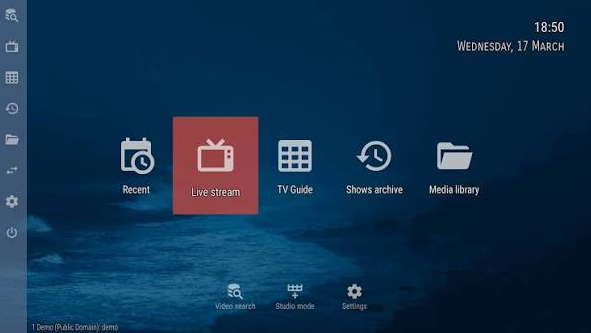
OTT Navigator is a heavyweight IPTV player from the Android world, providing every feature TiviMate has plus archive TV and multi-source EPG combining. OTT Navigator runs on Mac only through Android emulation. For subscribers whose IPTV provider offers extensive catch-up services, OTT Navigator remains a compelling IPTV player for Mac despite the emulation requirement.
Mac IPTV Player Feature Comparison
| Player | Price | EPG | Xtream Codes | Stalker | Native Apple Silicon | Intel Mac |
|---|---|---|---|---|---|---|
| IINA | Free | No | No | No | Yes | Yes |
| VLC | Free | No | No | No | Yes | Yes |
| GSE Smart IPTV Pro | Free / $19.99 | Yes | Yes | Yes | Yes (iPad app) | No |
| IPTV Smarters Pro | Free | Yes | Yes | No | Yes (iOS app) | No |
| Infuse 7 | Free / $14.99/yr | Basic | No | No | Yes (native) | Yes |
| iMPlayer | Free trial / $2.99/mo | Yes | Yes | No | Yes (native) | Yes |
| TiviMate | ~$19.99/yr | Yes | Yes | No | Via emulator | Via emulator |
| OTT Navigator | Free / $9/yr | Yes | Yes | Yes | Via emulator | Via emulator |
How to Install and Set Up an IPTV Player on Mac
The IPTV player for Mac setup process varies by installation source. The three common paths are Mac App Store, direct download, and Android emulation.
Mac App Store installation:
- Open App Store from the Dock or Launchpad
- Search the app name (IPTV Smarters, GSE Smart IPTV, Infuse)
- Click Get / Install
- On Apple Silicon Macs, iPhone/iPad apps appear automatically in results
Direct download installation (IINA, VLC, iMPlayer):
- Visit the developer’s official website
- Download the
.dmgfile for macOS - Open the DMG and drag the app to Applications
- On first launch, macOS may require security approval in System Settings → Privacy & Security
Homebrew installation (fastest for IINA, VLC):
brew install --cask iina
brew install --cask vlc
Loading a playlist (common across most players):
- Open the app
- Navigate to Settings → Playlists → Add
- Choose M3U URL, Xtream Codes, or Local File
- Paste the URL or enter Xtream Codes credentials (server + username + password)
- Wait for parsing to complete
- Channels appear grouped by category
Loading an M3U file locally on Mac:
- Save the
.m3ufile to Downloads or iCloud Drive - Open the IPTV player and select File → Open (or Local File in the playlist settings)
- The file loads directly from disk, no internet call to the provider
Apple Silicon vs Intel Mac: Does It Matter for IPTV?
Apple Silicon Macs (M1 through M4) offer three concrete advantages for IPTV playback: hardware-accelerated HEVC and H.264 decoding via the Media Engine, better battery life on MacBook, and access to iPhone/iPad apps through the App Store. Intel Macs still handle 1080p and most 4K streams reliably, but hardware acceleration is limited to Intel Quick Sync capabilities and battery drain is noticeably higher during extended streaming.
For a 4K HDR IPTV experience on MacBook, Apple Silicon delivers approximately 8–10 hours of continuous streaming on a MacBook Pro 14-inch, versus 3–4 hours on comparable Intel MacBook Pro hardware. Users on Intel Macs should prioritize VLC or IINA (both extensively optimized for Intel) and avoid emulator-based options that further compound overhead.
Which IPTV Player for Mac Should You Choose?
For most Mac users on Apple Silicon: GSE Smart IPTV Pro or iMPlayer. GSE covers M3U, Xtream Codes, and Stalker Portal in a single app. iMPlayer is native to macOS with an interface that respects Mac conventions.
For free native experience: IINA. Beautiful, native, hardware-accelerated. Skip only if EPG or Xtream Codes are non-negotiable.
For occasional stream testing or troubleshooting: VLC. Nothing beats VLC’s format compatibility for diagnosing broken streams.
For VOD-heavy subscriptions: Infuse 7. The metadata integration and library organization outperform every dedicated IPTV player in the VOD department.
For catch-up TV and archive recording: OTT Navigator via BlueStacks Air. The emulation overhead is real, but the feature set is unmatched.
For TiviMate loyalists: Emulation via BlueStacks Air. Setup is more complex, but TiviMate’s EPG and playlist management remain best-in-class.
Frequently Asked Questions
Is there a native TiviMate for Mac?
No. TiviMate does not publish a native macOS build. Mac users can only run TiviMate through Android emulators like BlueStacks Air (free, Apple Silicon native) or Parallels Desktop running Android-x86.
Can VLC play IPTV streams on Mac?
Yes. VLC opens M3U playlist URLs through Media → Open Network Stream and plays every stream format the provider delivers. VLC lacks EPG, Xtream Codes, and channel grouping, so it works as a media player rather than a full IPTV player for Mac.
Do iOS IPTV apps run on Mac?
Yes, on Apple Silicon Macs (M1, M2, M3, M4). The Mac App Store shows compatible iPhone and iPad apps automatically. IPTV Smarters Pro, GSE Smart IPTV, and TiviMate Companion are examples that install directly. Intel Macs cannot run iOS apps.
What is the best free IPTV player for Mac?
IINA for native experience, VLC for format compatibility. Both are open-source, hardware-accelerated on Apple Silicon, and completely free. Neither supports Xtream Codes or EPG — users needing those features should look at GSE Smart IPTV Pro’s free tier or iMPlayer’s 7-day trial.
Does M3U work on MacBook Air?
Yes. Every player on this list runs on MacBook Air (M1, M2, and M3 generations). MacBook Air with 8 GB RAM handles playlists up to approximately 15,000 channels comfortably; larger playlists benefit from 16 GB RAM configurations.
Can I stream 4K HDR IPTV on Mac?
Yes. IINA, VLC, Infuse 7, and iMPlayer all support 4K HDR playback with hardware acceleration on Apple Silicon Macs. Dolby Vision is supported by IINA, Infuse 7, and GSE Smart IPTV Pro on compatible displays (built-in Liquid Retina XDR, Pro Display XDR, or external HDR monitors).
Which IPTV player for Mac supports Xtream Codes?
GSE Smart IPTV Pro, IPTV Smarters Pro, iMPlayer, TiviMate (via emulation), and OTT Navigator (via emulation) all support Xtream Codes on Mac. Native free options (IINA, VLC) do not.
How do I install TiviMate on Mac?
Download BlueStacks Air from bluestacks.com (free, Apple Silicon native), install and open BlueStacks, sign into Google Play inside the emulator, search for TiviMate Companion (free) or TiviMate Premium, install, and add the M3U or Xtream Codes credentials. Total setup time is approximately 15–20 minutes.
Is IPTV legal on Mac?
The IPTV player for Mac software itself is legal in the United States, United Kingdom, Canada, Australia, and most of Europe. Legality depends on the IPTV service being loaded — licensed providers (Samsung TV Plus, Pluto TV, YouTube TV, paid licensed IPTV distributors) are legal; unauthorized rebroadcast services are not.